September 8, 2026
Start WhatsApp Appointment Booking in One Hour for Bilingual
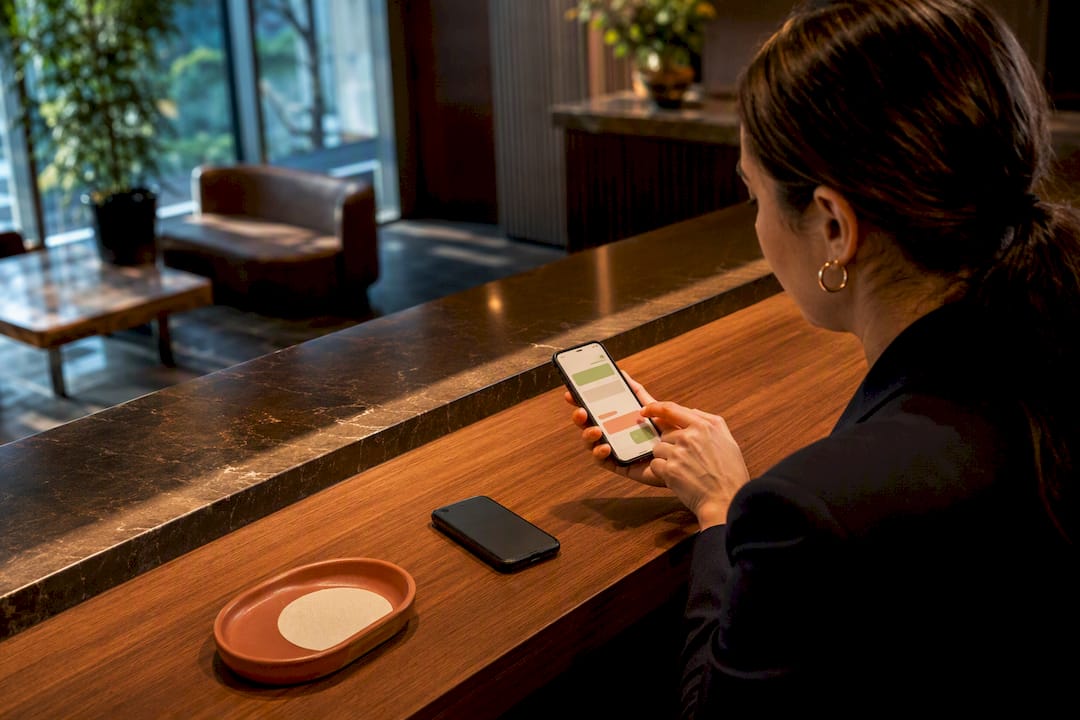
Yes. You can capture, confirm, and manage appointments entirely inside WhatsApp using one of three approaches: a click-to-chat link, a hosted booking page, or an in-chat flow built on WhatsApp Flows or the Business API. For most solo practices and small teams, start with a wa.me link tied to your Google Business Profile. It costs nothing, takes an hour to set up, and proves the concept before you invest in anything more automated.
TL;DR:
- Using a simple click-to-chat link or QR code is ideal for practices with fewer than 20 bookings weekly, requiring manual confirmation.
- Larger clinics or practices handling high volume benefit from in-chat flows or Business API integrations, enabling automated booking, confirmation, and reminders within WhatsApp.
- When setting up, ensure testing from actual devices, prepare confirmation templates in advance, and include fallback options like SMS or email to avoid missed appointments.
- Live calendar sync with Google or Outlook is essential to prevent double bookings, with service durations and buffers tailored to each appointment type.
- For bilingual practices, a managed platform like Diazluna improves communication accuracy, especially for Spanish-speaking clients, and helps avoid mistranslations or losing clients to language barriers.
Table of Contents
- Which WhatsApp Booking Approach Fits Your Business?
- How Do You Set Up WhatsApp Appointment Booking?
- How Do You Automate Confirmations and Reminders in WhatsApp?
- How Do You Keep Your Calendar in Sync?
- What Are the Privacy Rules for WhatsApp Booking?
- When Should a Practice Choose a Managed Bilingual Solution?
- What Do Bilingual Practices Get Wrong About WhatsApp Booking?
- Where Can You Learn More About WhatsApp Booking Tools?
- A Bilingual Front Desk That Never Misses a WhatsApp Message
- Sources
Which WhatsApp Booking Approach Fits Your Business?
Before touching any settings, pick your lane. The three approaches solve the same problem at different levels of effort and volume.
- Click-to-chat link (wa.me): Best for solo practitioners and businesses under 20 bookings a week. A patient or client taps a link, lands in WhatsApp with a prefilled message, and you confirm manually. Zero setup cost, but every booking still needs a human to answer.
- Hosted booking page: Best for businesses that want a visual calendar without coding. A generator builds a mobile page; the client picks a slot, and the request lands in your WhatsApp as a structured message. Faster than pure chat, but many free generators only show static time slots rather than live availability.
- In-chat Flow or Business API: Best for clinics, law offices, or multi-staff teams handling real volume. The whole booking, confirmation, and reminder sequence runs inside the conversation with no page reload. It takes more setup and usually a developer or a managed provider, but it scales.
Once you’ve picked one, run this in the next hour: generate your link or QR code, place it where clients will actually see it (a booking button, a print flyer, your Google Business Profile), then send yourself a test booking from a second phone. Confirm the message is grammatically correct in every language you serve, and make sure whoever answers your business phone knows the new request will arrive there.
How Do You Set Up WhatsApp Appointment Booking?
The setup path depends on whether you’re using the free WhatsApp Business app or the paid Business API, and that choice affects what you’re allowed to automate.
WhatsApp Business app vs. Business API. The free app works for click-to-chat and manual confirmations. It has no calendar logic and no way to send scheduled reminders outside a live conversation. The Business API, usually accessed through a provider, unlocks WhatsApp Flows, message templates, and calendar integrations but requires business verification through Meta and typically a monthly fee from whichever platform hosts it.
Building your wa.me link. The format is simple: https://wa.me/<yournumber>?text=<prefilled message>, with the message URL encoded. A dental office might use:
https://wa.me/15551234567?text=Hi%2C%20I%27d%20like%20to%20book%20a%20cleaning%20appointment.
That prefilled text does double duty. It tells you the client’s intent immediately, and it removes the “what do I even type” friction that kills a lot of clicks before they start, a pattern documented in guides on adding WhatsApp booking to non-WordPress sites.
Hosted booking pages. A free WhatsApp booking-page generator lets you build a shareable link with no signup, and the client’s selected slot arrives in your chat as a structured request instead of a loose sentence. The catch: many of these tools show a static slot list rather than pulling from your live calendar, so two clients can pick the same 2 p.m. opening. Treat every request as pending until you reply “confirmed.”
Adding WhatsApp to your Google Business Profile. Open your profile editor, go to Contact, find the Chat section, and add your WhatsApp number as the click-to-chat channel. This matters more than most owners realize. Someone searching “dentist near me” on their phone sees a Chat button right next to Call and Directions, and chat starts a conversation instead of a hang-up voicemail.
QR codes for physical locations. Generate a QR code from your wa.me link and place it at the front desk, on receipts, or on a window decal. A QR-to-booking workflow works especially well for walk-in-heavy businesses like salons, where a client waiting for a haircut can scan and book their next visit before they leave the chair.
- Test every link on an actual phone, not just a desktop browser preview.
- Write out your confirmation message in advance so replies stay consistent across staff.
- Tell your front-desk team the new channel exists before it goes live, or a booking request will sit unanswered for a day.
Pro Tip: Send yourself a test message from a different WhatsApp account before you publish any link publicly. It’s the fastest way to catch a broken URL encode or a typo in your business number.
How Do You Automate Confirmations and Reminders in WhatsApp?
The lifecycle that actually reduces no-shows follows a fixed sequence: qualify the request, offer available slots, confirm instantly, remind on a schedule, and let the client reschedule or cancel without leaving the chat. Automating that whole loop inside the conversation, rather than bouncing the client to an outside form, keeps momentum and improves conversion for service businesses.
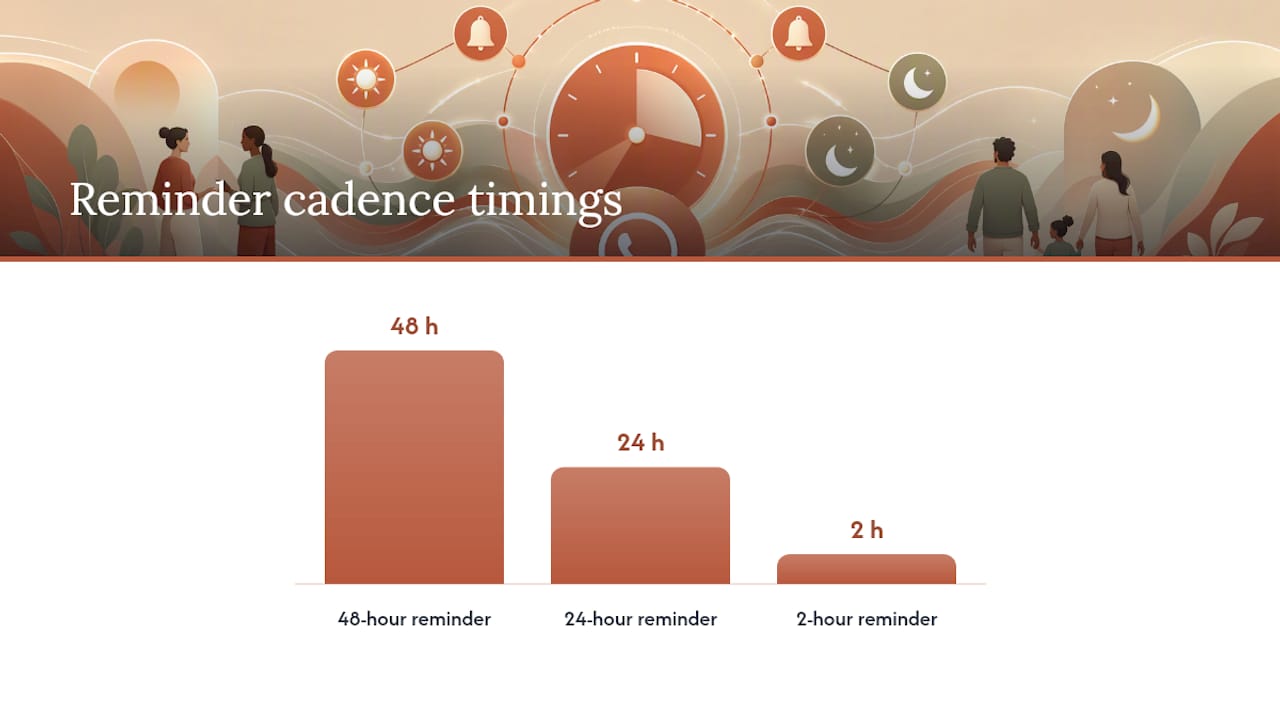
A reminder cadence some vendors use runs at 48 hours, 24 hours, and 2 hours before the appointment, each with one-tap Confirm, Reschedule, or Cancel buttons instead of a wall of text. That structure alone tends to cut the “I forgot” no-show, which is the single most preventable kind.
Here’s the constraint that trips up almost everyone building this for the first time: WhatsApp’s 24-hour messaging window. Once a client’s last message is more than 24 hours old, you can’t just send a free-form reminder. You need a Meta-approved message template, submitted and reviewed in advance. If your reminder cadence spans 48 hours out, you’re automatically outside that window for the first touch, so template approval isn’t optional. It’s the entire mechanism.
- Build your reminder templates and submit them for approval before you need them, not the week of.
- Keep one-tap actions simple: Confirm, Reschedule, Cancel, nothing more.
- Add an SMS or email fallback for reminders, since multi-channel failover catches the cases where a carrier issue or an app glitch blocks WhatsApp delivery.
- Route cancellations back into your calendar automatically so the freed slot reopens for someone else.
A complete flow should query calendar availability, collect minimal details, confirm instantly, and fire reminders on schedule, with rescheduling handled the same way. If you want the mechanics of the reminder side spelled out further, this breakdown of automated WhatsApp reminders covers the template and timing details in more depth.
How Do You Keep Your Calendar in Sync?
A booking system that doesn’t check real availability is a double-booking machine waiting to happen. Live two-way sync with Google Calendar or Outlook, sometimes routed through an intermediary like Calendly, checks and blocks slots the moment a client books, instead of relying on someone to update a spreadsheet at the end of the day.
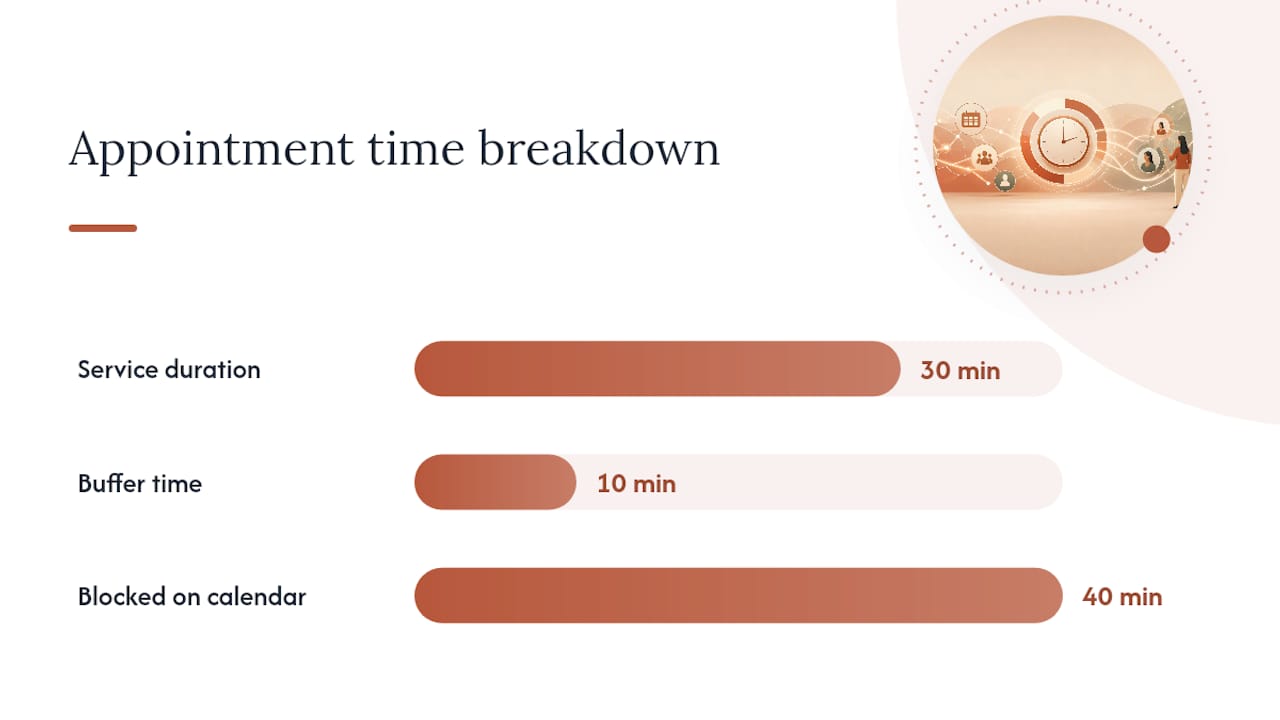
Service duration and buffer times matter more than most setups account for. A 30-minute consultation with a 10-minute buffer needs to block 40 minutes on the calendar, not 30, or your next client shows up while you’re still finishing notes. Multi-staff practices need availability tied to the specific provider a client is trying to see, not a single shared calendar that shows everyone as busy.
- Sync bidirectionally so a booking made anywhere blocks the same slot everywhere.
- Set service-specific durations and buffers instead of one generic time block for every appointment type.
- Push booking details (name, service, time, phone) into your CRM automatically so notes and history live in one place, an approach covered in WhatsApp CRM integration guidance for practices juggling multiple staff calendars.
- Check sync health weekly. A silent integration failure is how a business ends up double-booked for three days straight before anyone notices.
What Are the Privacy Rules for WhatsApp Booking?
Keep this simple: collect only what the appointment actually requires. Name, service, preferred date and time, and phone number cover almost every booking scenario. Skip anything that reads like an intake form.
- Respect the 24-hour messaging window and use Meta-approved templates for anything sent after that window closes.
- Store client details in a secured system, not a shared spreadsheet accessible to everyone on staff.
- Add a short opt-out line to your confirmation template (“Reply STOP to stop reminders”) so clients control what they receive.
- Bring in a privacy specialist once you’re handling health records, legal case details, or anything beyond basic contact and scheduling information.
When Should a Practice Choose a Managed Bilingual Solution?
DIY works fine at low volume with one language. It breaks down fast the moment a practice serves both English and Spanish speaking clients with real booking volume, because literal translation almost never lands the way a native phrase does, and a mistranslated confirmation message erodes trust before the appointment even happens.
Diazluna bundles three pieces that usually get bought separately and clumsily stitched together: a fully bilingual website, a 24/7 AI receptionist that handles calls and messages in authentic Spanish and English, and WhatsApp integration that keeps booking, confirmations, and urgent-case transfers inside one conversation thread. For a dental office, law practice, or clinic where a missed or mistranslated message means a lost patient, that combination closes a gap that a free wa.me link alone can’t.
A managed setup makes sense once any of these hit:
- Your staff can’t keep up with WhatsApp messages during business hours, let alone after.
- You’re losing Spanish-speaking clients to language friction, not price or availability.
- You want after-hours coverage without hiring a night receptionist.
- You’re juggling three separate vendors (website, phone system, messaging tool) and paying three separate bills for it.
Before evaluating Diazluna or any managed provider, gather your current call volume, your peak booking hours, and a sample of the message templates you currently send. It makes the demo conversation concrete instead of hypothetical, and it’s the same prep covered in practical bilingual scheduling guidance for dental, legal, and medical practices.
Pro Tip: If you’re testing whether bilingual demand exists at all, watch which language clients use first when they message you on WhatsApp. It tells you more than any survey.
What Do Bilingual Practices Get Wrong About WhatsApp Booking?
Two things to do today: add your WhatsApp number to your Google Business Profile, and write your confirmation message in both languages before you need it, not after a client complains.
The three mistakes I see most often: treating the free wa.me link as a permanent solution once volume grows past what one person can answer, skipping template approval until reminders are already needed and then scrambling for days, and assuming a hosted booking page syncs live calendar availability when most free ones don’t.
On bilingual phrasing specifically: don’t translate your English quick replies into Spanish word for word. A literal translation often sounds stiff or slightly off to a native speaker, and that small friction is enough to lose a booking that would have gone through in a message that actually sounded natural.
— Francisco
Where Can You Learn More About WhatsApp Booking Tools?
- WhatsApp Business — WhatsApp Flows for building in-chat booking experiences.
- Add WhatsApp to Google Business Profile for the exact click-to-chat setup steps.
- Free WhatsApp booking-page generator for a no-code starting point.
- Google Business Profile messaging setup guide for troubleshooting chat button issues.
A Bilingual Front Desk That Never Misses a WhatsApp Message
Diazluna is the alternative to juggling a website vendor, a phone answering service, and a messaging tool separately: one bilingual front desk that answers calls, texts, and WhatsApp messages in authentic Spanish and English, at a fraction of what those three services cost stacked together.
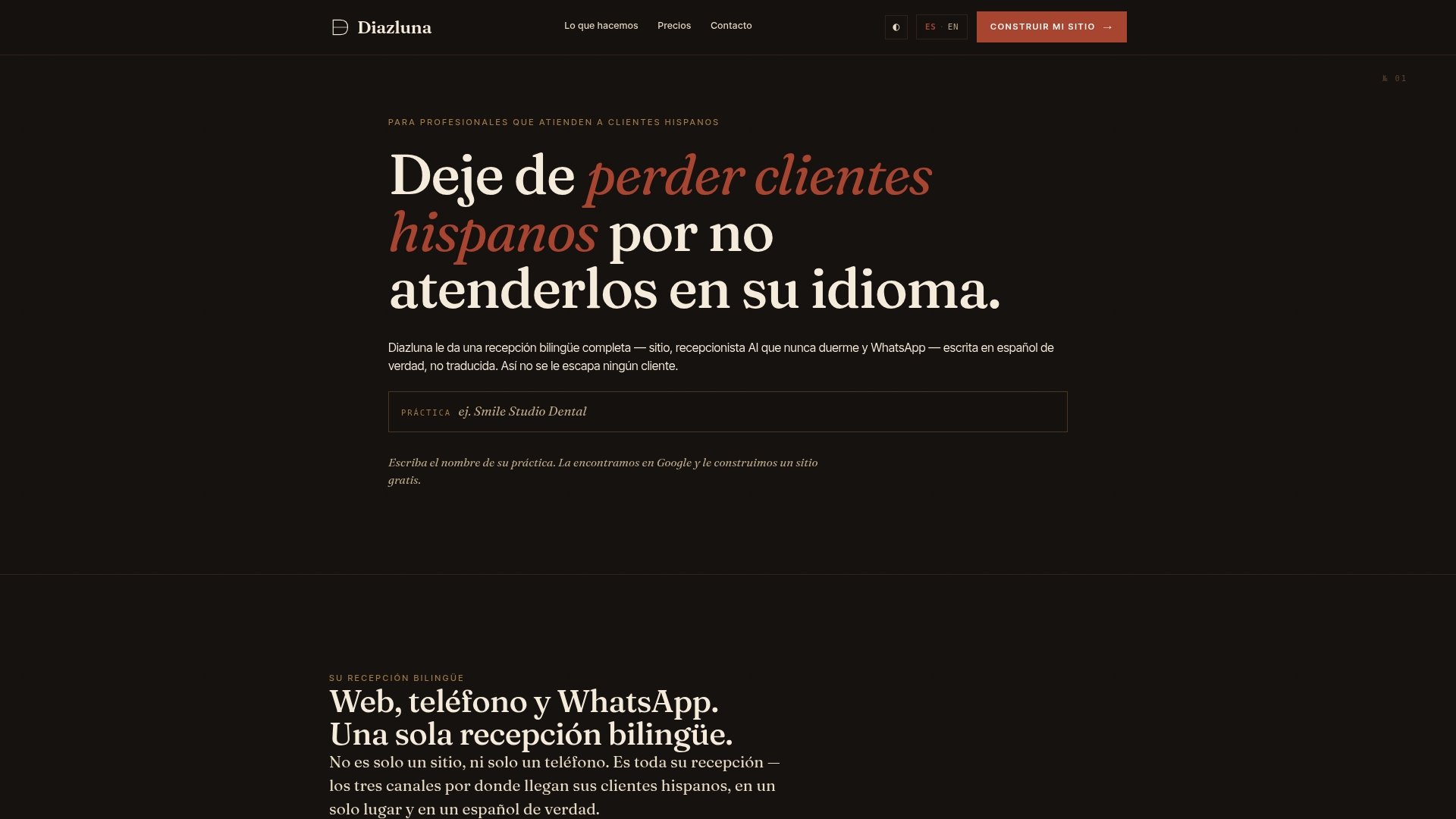
If you run a dental, legal, or medical practice and you’ve read this far because your current WhatsApp setup is either nonexistent or held together by one overworked staff member, that’s exactly the gap Diazluna closes. The 24/7 AI receptionist picks up the messages your front desk can’t get to after hours, confirms bookings in the client’s preferred language, and flags urgent cases for a real person instead of leaving them in an unread inbox. Practices that add a bilingual front desk platform typically see fewer Spanish-speaking clients lost to language friction, and a new bilingual site tends to get indexed by Google faster than usual.
Check out Diazluna’s bilingual front desk platform to see what a demo looks like for your specific practice, and bring your current call volume and booking templates so the conversation starts with your actual numbers, not generic ones.
Sources
- WhatsApp Business — Appointment booking (Infobip)
- WhatsApp FAQ — Add WhatsApp to Google Business Profile
- Whautomate — Free WhatsApp booking page generator